Etsy Shop Bookkeeping Spreadsheet: 7-Step 2026 Setup
An etsy shop bookkeeping spreadsheet is the difference between “I think my shop made money last month” and “I know exactly which listings paid me, which ones lost money, and how much I owe in tax.” Etsy takes fees at almost every step of a sale — transaction, payment processing, offsite ads, shipping labels, currency conversion — and the payout that lands in your bank looks nothing like the sticker price on your listing.
This guide walks you through the exact 7-step setup we use with sellers doing $500 to $50,000 a month on Etsy, with a copy-paste column structure and a real template you can grab in one click.
What an Etsy Bookkeeping Spreadsheet Actually Tracks
Most sellers open a blank Google Sheet, add columns for “Income” and “Expenses,” and stop there. That is not bookkeeping — it’s a summary. A real etsy shop bookkeeping spreadsheet needs to track five things every month:
- Gross revenue — the sticker price the buyer paid, including shipping they covered.
- Etsy fees — transaction, payment processing, offsite ads, shipping label, currency conversion, listing renewals.
- COGS (cost of goods sold) — the raw materials, packaging, and direct labor for the items you actually shipped.
- Operating expenses — the fixed monthly stuff (Canva, subscriptions, PO Box, home-office share).
- Net profit and tax set-aside — what you actually keep, and how much you need to park in a tax account.
Get those five right and your books answer every question a self-employed seller ever asks — including the one that keeps you up at night: am I actually making money on this thing?
The 8 Columns Every Etsy Bookkeeping Spreadsheet Needs
Before the 7-step setup, this is the flat structure I recommend for a per-order tab. Copy this row into your sheet and you’re 80% of the way there.
| Column | What goes in it |
|---|---|
| Order date | The date Etsy shows in Sold Orders — use ISO format (2026-08-05) so it sorts cleanly. |
| Order ID | The 10-digit number from Etsy so you can look it up again later. |
| Listing SKU | Your internal code — invent one if you don’t have SKUs yet. |
| Gross sale | Item total + shipping the buyer paid (before Etsy’s cut). |
| Etsy fees | Transaction (6.5%) + processing + offsite ads (if applicable) + shipping label. |
| COGS | Materials + packaging + shipping supplies for that specific order. |
| Net profit | Formula: Gross − Fees − COGS. |
| Tax set-aside | Formula: Net profit × your effective rate (start at 25-30%). |
Everything else — monthly rollups, category breakdowns, quarterly tax estimates — can be built with a pivot table off this one clean sheet.
Etsy Seller Profit Kit: 3 spreadsheets for $19
Bookkeeping + product pricing + jewelry pricing in one kit. See your real profit per order after Etsy fees, shipping and materials. Google Sheets & Excel, one-time payment, no subscription.
How to Set Up Your Etsy Shop Bookkeeping Spreadsheet in 7 Steps
Step 1: Download your Etsy CSV, not your bank statement
Etsy gives you a monthly statement CSV inside Shop Manager → Finances → Monthly Statements. That file has every fee itemized. Your bank statement only shows the net deposit — which is useless for bookkeeping because you can’t see what was deducted before it landed.
Download the CSV for the month you’re closing. Save it in a folder called /etsy-books/2026/. Do this the first weekend of every month and you’ll never fall behind.
Step 2: Import into your spreadsheet as a raw tab
Create a tab called raw_2026-07 and paste the CSV in as-is. Do not clean it, do not delete rows, do not rename columns. This is your source of truth. If the IRS ever asks — or Etsy support ever disputes — you need the original untouched.
Step 3: Build a per-order sheet with the 8 columns above
On a new tab, add the 8 columns from the table. Use formulas that reference the raw tab so you never re-type numbers. If Etsy’s Transaction fee column is E, your combined fees cell becomes =raw_2026-07!E2 + raw_2026-07!F2 + raw_2026-07!G2.
Step 4: Add your COGS the same day you ship
This is the step 90% of sellers skip. When you ship an order, write down what the materials and packaging cost. If you make batches, divide the batch cost by units and use that per-item number.
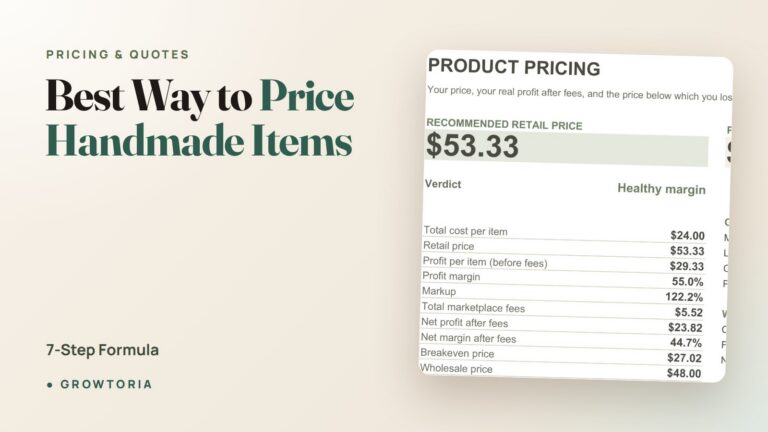
Not sure how to calculate that? Our 4-part formula for pricing handmade products shows the exact per-unit math — and if you’d rather skip the manual work, the Product Pricing Calculator spits out your true cost the moment you enter ingredients and labor.
Step 5: Set up a monthly rollup tab
Add a tab called monthly_summary with rows for each month and columns for Gross, Fees, COGS, Op-Ex, Net, and Tax set-aside. Use SUMIFS to pull totals from the per-order tab by month. This is the tab your accountant will actually look at.
Step 6: Move your tax set-aside into a separate account
A spreadsheet doesn’t save you money — a separate savings account does. The instant you calculate your monthly net profit, transfer the tax set-aside (25-30%) into a “tax” savings account you never touch until quarterly estimates are due.
If you’re US-based and unsure what you’ll owe, the IRS’s own Schedule C guidance lays out exactly which Etsy-related expenses are deductible — supplies, shipping, home-office square footage, and platform fees all count.
Step 7: Reconcile once a month, then close the books
End of month: total your per-order tab, compare it to the Etsy CSV’s summary, and confirm the deposit total matches your bank. If there’s a discrepancy, it’s usually an offsite-ad fee you forgot to log, or a refund. Fix it before you move on.
Then lock the month. In Google Sheets, right-click the tab and choose Protect. No more edits. This one habit is what separates books that survive an audit from books that fall apart the moment you look at them twice.

Understanding Etsy Fees (The Part Most Sellers Underestimate)
Etsy publishes their official fee policy, but the short version for a US seller in 2026 is:
- Listing fee: $0.20 per listing, renewed every 4 months or after a sale.
- Transaction fee: 6.5% of the sale total, including any shipping the buyer paid.
- Payment processing: roughly 3% + $0.25 per transaction in the US (varies by country).
- Offsite ads: 12-15% of the sale, but only when the buyer came from a paid Etsy-run ad.
- Currency conversion: around 2.5% if your bank is in a different currency than the sale.
Do the math on a $30 handmade candle with $8 shipping and no offsite ads: gross $38, fees roughly $4.20, then subtract $9 in wax, wick, jar, and shipping supplies, and you’re netting around $24.80 before your time. That’s the number that matters — and the number a proper bookkeeping spreadsheet surfaces automatically.
Spreadsheet vs. Software vs. Manual: What Actually Works
| Method | Best for | Time per month | Cost |
|---|---|---|---|
| Manual notebook | Under 10 orders/month | 1-2 hrs | $0 |
| Google Sheets template | 10-500 orders/month | 30-60 min | $0-30 one-time |
| QuickBooks + Etsy sync | 500+ orders/month or multi-channel | 15-30 min | $25-90/mo |
| Bookkeeper | You hate it AND you’re over $8k/mo | 0 | $150-400/mo |
For most Etsy sellers, a spreadsheet is the right answer for years. Software adds cost and complexity you don’t need until you’re either multi-channel or over 500 monthly orders. Save your money for materials and ads instead.
Common Mistakes Etsy Sellers Make in Their Books
- Treating deposits as profit. The number that hits your bank is post-fees — but pre-COGS and pre-tax. Spend it and you’ll owe money you don’t have in April.
- Forgetting offsite ads. Etsy takes 12-15% AFTER the sale, so it’s easy to miss until you reconcile the statement.
- Skipping the SKU column. Without a listing code, you can’t see which products are actually profitable. You just see a blob of “revenue.”
- Mixing personal and shop money. Open a separate bank account for the shop on day one. Etsy will direct-deposit into it.
- Waiting until tax season. A year of un-categorized transactions is a nightmare. Thirty minutes a month is six hours a year.
If you also sell across Poshmark, Depop, or Mercari, a dedicated reseller inventory & profit tracker handles the cross-platform fee math without you juggling five different structures in one sheet.
The Fastest Way to Get This Set Up Today
You can absolutely build the sheet above from scratch — that’s why the column structure is right there. If you’d rather skip the weekend of formula-wrangling, our Etsy Bookkeeping Spreadsheet is the exact template we use with our own sellers, with pre-built monthly rollups, category breakdowns, and a tax set-aside dashboard. It’s on our site and also available on our Growtoria Etsy shop if you’d rather buy where you already sell.
Either way, the goal is the same: a spreadsheet you actually open, that answers the question “am I making money?” in under ten seconds.
Frequently Asked Questions
Do I need a bookkeeping spreadsheet if my Etsy shop is a side hustle?
Yes — especially then. Side-hustle sellers are the ones who get surprised at tax time. If Etsy issued you a 1099-K (thresholds vary by state), the IRS already has that number. Your bookkeeping spreadsheet is what proves your actual profit — which is almost always much lower than gross revenue.
Can I use Google Sheets for Etsy bookkeeping, or do I need Excel?
Google Sheets works perfectly. Every formula in this guide (SUMIFS, QUERY, pivot tables) is identical in both. Sheets is free, auto-saves, and lets you share view-only access with your accountant. Most of our sellers stay on Sheets forever.
How often should I update my Etsy bookkeeping spreadsheet?
Weekly is ideal, monthly is the minimum. Log COGS the day you ship (five minutes) and reconcile the full month within the first weekend of the next month. Waiting a full quarter means digging through 90 days of orders trying to remember what you paid for materials.
What Etsy fees are tax-deductible?
All of them. Transaction fees, listing fees, payment processing, offsite ads, and shipping label costs are ordinary business expenses on Schedule C. Same with your Etsy Plus subscription if you have one. The IRS treats them as cost-of-doing-business, no different from a booth fee at a craft fair.
How do I handle refunds and returns in my bookkeeping spreadsheet?
Add a negative line on the date the refund was issued, with the same order ID and a REFUND flag in the SKU column. Etsy refunds most (not all) fees on returns, so log the fee reversal too. Never delete the original sale — you want the audit trail.
Once your books are solid, the next lever is knowing which listings actually deserve your time. Pair this spreadsheet with our guide to pricing handmade products profitably and our step-by-step budget spreadsheet setup, and you’ll have the full picture: what’s coming in, what’s going out, and where your next dollar of margin actually lives.