Project Cost Estimate Example (With Real Numbers)
A good project cost estimate example is more useful than any formula because it shows the full structure: every task, every hour, every outside cost and the buffer on top. Most people searching for one already know they need an estimate. What they’re missing is a finished one to copy.
This guide walks through a complete estimate for a real-world service project, line by line. Then it shows you how to adapt the same structure to your own work and how to check, once the job is done, whether your numbers held up.
Quick answer: A project cost estimate example splits the work into tasks, prices each one as hours × rate, adds direct costs such as software or subcontractors, then adds a 10–15% contingency. For example, a small website redesign comes to 152 hours of labor ($12,520), plus $2,090 in direct costs, plus 10% contingency: about $16,100.
What does a project cost estimate example look like?
A useful project cost estimate example has five parts: scope, labor, direct costs, contingency and a final range. If any part is missing, the number is a guess with formatting on it.
Here’s what each part covers:
- Scope summary: two or three sentences on what’s included and, just as important, what isn’t.
- Labor lines: each phase or task, with estimated hours and the rate that applies.
- Direct costs: everything you pay someone else for, such as licences, materials, subcontractors and hosting.
- Contingency: a stated percentage that covers known unknowns.
- Total and range: the final figure plus how far it could reasonably move.
If you work in construction or the trades, materials and labor are structured differently. For that, the cost estimate template for construction is the better starting point. The example below is built for service and knowledge projects, where most of the cost is people’s time.
A worked project cost estimate example: website redesign
The scenario: a two-person studio is redesigning the website for a local dental clinic. The job covers 12 pages, a booking form integration, content migration from the old site and launch support. It excludes new photography shoots, ongoing SEO and monthly maintenance.
The studio bills $85/hour for design and development. Content work is billed at $60/hour. Those rates already include overhead (software, insurance, admin time) and profit. If you haven’t worked out a rate that does that yet, run your numbers through the free freelance day rate calculator first.
The full line-item breakdown
| Line item | Type | Hours / qty | Rate | Cost |
|---|---|---|---|---|
| Discovery & planning (kickoff, sitemap, requirements) | Labor | 12 h | $85 | $1,020 |
| UX & visual design (wireframes, 2 revision rounds) | Labor | 40 h | $85 | $3,400 |
| Development (12 templates, booking integration) | Labor | 60 h | $85 | $5,100 |
| Content migration & copy edits | Labor | 16 h | $60 | $960 |
| QA, testing & launch | Labor | 10 h | $85 | $850 |
| Project management (~10% of hours) | Labor | 14 h | $85 | $1,190 |
| Labor subtotal | 152 h | $12,520 | ||
| Premium theme & plugin licences | Direct | 1 | $350 | $350 |
| Stock photography (12 images) | Direct | 12 | $20 | $240 |
| Hosting, first year | Direct | 12 mo | $25 | $300 |
| Subcontracted copywriter (homepage + 3 service pages) | Direct | 1 | $1,200 | $1,200 |
| Direct cost subtotal | $2,090 | |||
| Subtotal | $14,610 | |||
| Contingency (10%) | Buffer | $1,461 | ||
| Total estimate (rounded) | $16,100 |
Why each number is there
Every line in this table can be defended. That matters more than the total, because sooner or later a client will point at one line and ask why it costs that much.
- Design at 40 hours assumes two revision rounds. A third round is a change request, and the scope summary says so.
- Project management at roughly 10% covers emails, calls and status updates. People leave it out all the time, and it’s often why a project that “went fine” still lost money.
- The copywriter is listed at cost, as a direct expense. Some studios add a 10–20% handling markup on subcontractors. If you do, show it as its own line.
- The 10% contingency is a separate line, not hidden in the hours. A visible buffer is easier to defend than padded tasks.
How do you build your own project cost estimate?
Start from the deliverables and work down to tasks, then price each task. Don’t start from a total you think the client will accept. Here’s the process behind the example above.
- Write the scope in plain sentences. List what’s in, then what’s out. The “out” list protects your margin more than any other part of the estimate.
- Break the work into phases of 4–60 hours. If a task is bigger than about 60 hours, split it. Big tasks hide big errors.
- Estimate hours using a past project, not memory. Find the closest job you’ve finished and check how long each phase actually took.
- Apply the right rate to each line. Senior work, junior work and subcontracted work should not share one blended rate if their costs differ a lot.
- List every direct cost. Licences, materials, travel, printing, hosting and contractors. If you pay for it, it goes on the estimate.
- Add contingency based on uncertainty. Use 5–10% for repeat work you know well and 15–25% for something new, or when the client’s requirements are still vague.
- State a range, not just a number. “$16,100, likely between $14,600 and $18,500” sets realistic expectations from the start.
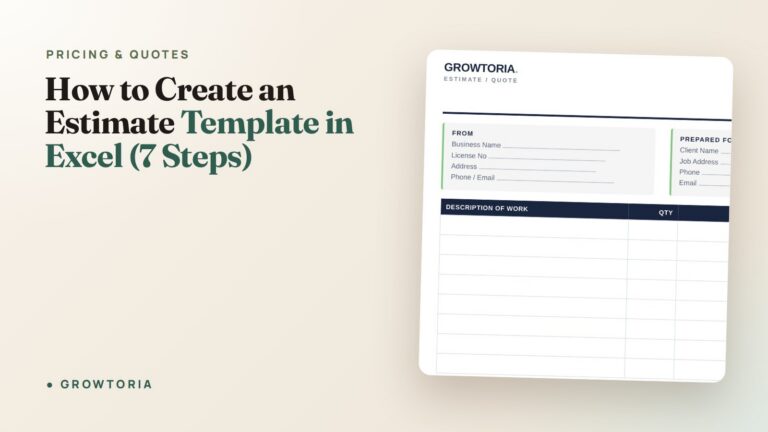
If you want this as a reusable spreadsheet with the formulas already set up, follow the walkthrough on how to create an estimate template in Excel. It works the same way in Google Sheets.
How accurate should a project cost estimate be?
It depends on how much you know about the job. An early ballpark can easily be off by 30% or more. A detailed estimate built from a clear scope should land within about 10–15% of the final cost.
Professional cost engineers formalise this idea. AACE International classifies estimates by how complete the project definition is. The vaguest classes allow ranges as wide as −50% to +100%, while the most detailed are expected to land within a few percent. The PMI’s PMBOK standard makes the same point: estimates should be refined as the project becomes clearer.
In practice, for small businesses and freelancers:
- Ballpark (first call): give a wide range, such as “$12k–$20k”, and don’t commit to it.
- Detailed estimate (after discovery): give line items like the table above, with a ±10–15% range.
- Fixed quote: a binding price. Only offer one once the scope is locked. Our guide on the difference between a quote and an estimate explains when to switch from one to the other.
More project cost estimate examples by project type
The same five-part structure works across very different jobs. Only the mix of labor and direct costs changes. Here are three shorter versions to adapt:
Marketing campaign (6 weeks)
- Strategy and planning: 10 h × $75 = $750
- Creative production: 30 h × $75 = $2,250
- Ad spend (passed through at cost): $3,000
- Reporting: 6 h × $75 = $450
- Contingency 10% on labor only: $345
- Total: $6,795
Office move for a 12-person team
- Planning and vendor coordination: 20 h × $50 = $1,000
- Moving company quote: $4,800
- IT disconnect and reconnect: 16 h × $90 = $1,440
- Supplies (crates, labels): $260
- Contingency 15% (new building, unknown access): $1,125
- Total: $8,625
Custom bookkeeping cleanup (one year of records)
- Statement collection and setup: 4 h × $65 = $260
- Categorising transactions: 18 h × $65 = $1,170
- Reconciliation and reports: 6 h × $65 = $390
- Contingency 20% (records quality unknown): $364
- Total: $2,184
In the marketing example, contingency applies only to labor. Ad spend is a fixed pass-through, so padding it would just be overcharging. Decide case by case what the buffer actually protects.
What do people usually forget in a cost estimate?
The costs people miss most are the ones nobody sees: coordination, revisions and the time between tasks. These rarely make a project lose money on their own. Together, they quietly eat 15–25% of the margin.
- Project management and communication: budget 10–15% of total hours.
- Revision rounds: set a number in the scope, then estimate for it.
- Onboarding and offboarding: kickoff calls, access setup, handover documents and training.
- Payment and transaction fees: card processing often costs around 3%, which is real money on a $16k invoice.
- Your own learning curve: if you’ve never used the client’s tool or platform, the extra time is real cost.
Once the costs are complete, check that the total still leaves you a healthy margin. The free profit margin calculator takes about 30 seconds.
How do you track actual costs against your estimate?
Log hours and expenses against the same line items you estimated. Then compare each phase when the project ends. This step is what makes your next estimate more accurate, and it’s the one almost everyone skips.
The method is simple:
- Create one task (or task group) per estimate line: Discovery, Design, Development and so on.
- Log time against those tasks as you work, rather than in one “project” bucket.
- Flag any task that passes 80% of its estimated hours before it’s done. That’s your early warning to raise a change request.
- At close, write down estimate vs. actual for each phase. After three or four projects, you’ll see which phases you consistently underestimate.
The done-for-you shortcut
You can do this in a blank spreadsheet. But a tracker built around tasks, phases and deadlines saves you setting it up and keeps it from falling apart halfway through the job.
- For solo freelancers who want something fast, the Task & Project Tracker App puts each estimate phase on a Kanban board with priorities, due dates and overdue flags. It runs offline, with no subscription.
- If you manage several client projects at once, the C1 Project Tracker for Freelancers is a 6-database Notion system (with Airtable and Google Sheets versions) and a setup guide.
- For consultants and agencies running retainers, the Project Management Tracker combines a Notion workspace for daily client work with a Google Sheets companion.
Prefer to buy through a marketplace? You can also grab our trackers and templates on our Etsy shop.
Frequently asked questions
What should a project cost estimate include?
At minimum, it should include a scope summary, labor lines (hours × rate), direct costs, a contingency line and a total with a range. Also add a validity date (for example, “valid for 30 days”) and the main assumptions, such as the number of revision rounds.
How much contingency should I add to a project estimate?
For repeat work you know well, 5–10% is typical. For new types of projects, unclear requirements or work that depends on third parties, use 15–25%. Always show contingency as its own line instead of hiding it in task hours.
Is a project cost estimate legally binding?
Usually not. An estimate is an informed approximation, while a quote or signed contract fixes the price. Wording and local law matter, though, so label the document clearly as an estimate and state that the final cost may vary within the given range.
How do I estimate hours for a task I’ve never done?
Break it into the smallest steps you can picture. Estimate each step, then add 25–50% for the learning curve. If possible, check the figure with someone who has done similar work, and give the client a wider range until the work is better defined.
Should I show the client the full line-item breakdown?
For service projects, usually yes. Itemised estimates build trust and make scope changes easier to discuss. Some businesses share phase totals but keep hourly rates internal. Either way works, as long as the scope and exclusions are explicit.
Turn this example into your next estimate
Copy the structure, not the numbers. Put your own phases, real hours from past jobs, your actual rates and every outside cost into the same five-part format. Then track actuals against it so each project teaches you something.
When the estimate is approved, set up the phases in the Task & Project Tracker App and log your time from day one. By your third project, you’ll be quoting from data, not hope.