Seller Net Sheet Calculator | Real Estate Commission, Costs (Google Sheets, Excel)
$14.00
Description
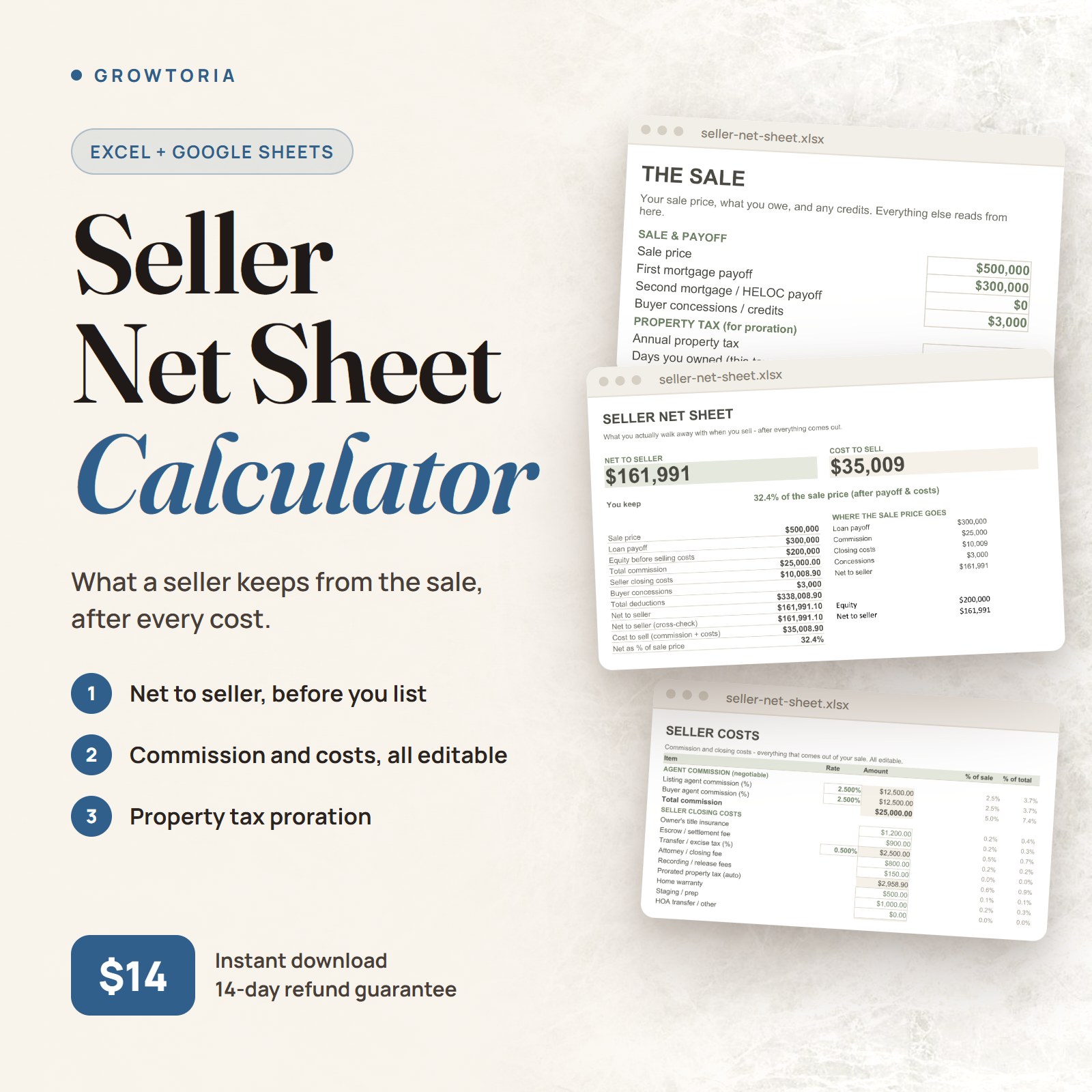
Seller Net Sheet Calculator — When you sell your home, you don’t walk away with the sale price – you walk away with what’s left after the mortgage payoff, agent commission, closing costs and any credits. This seller net sheet shows your real net proceeds on any sale.
What’s inside your Seller Net Sheet Calculator
Editable in Google Sheets and Microsoft Excel. Change one number and the whole sheet updates.
What It Does
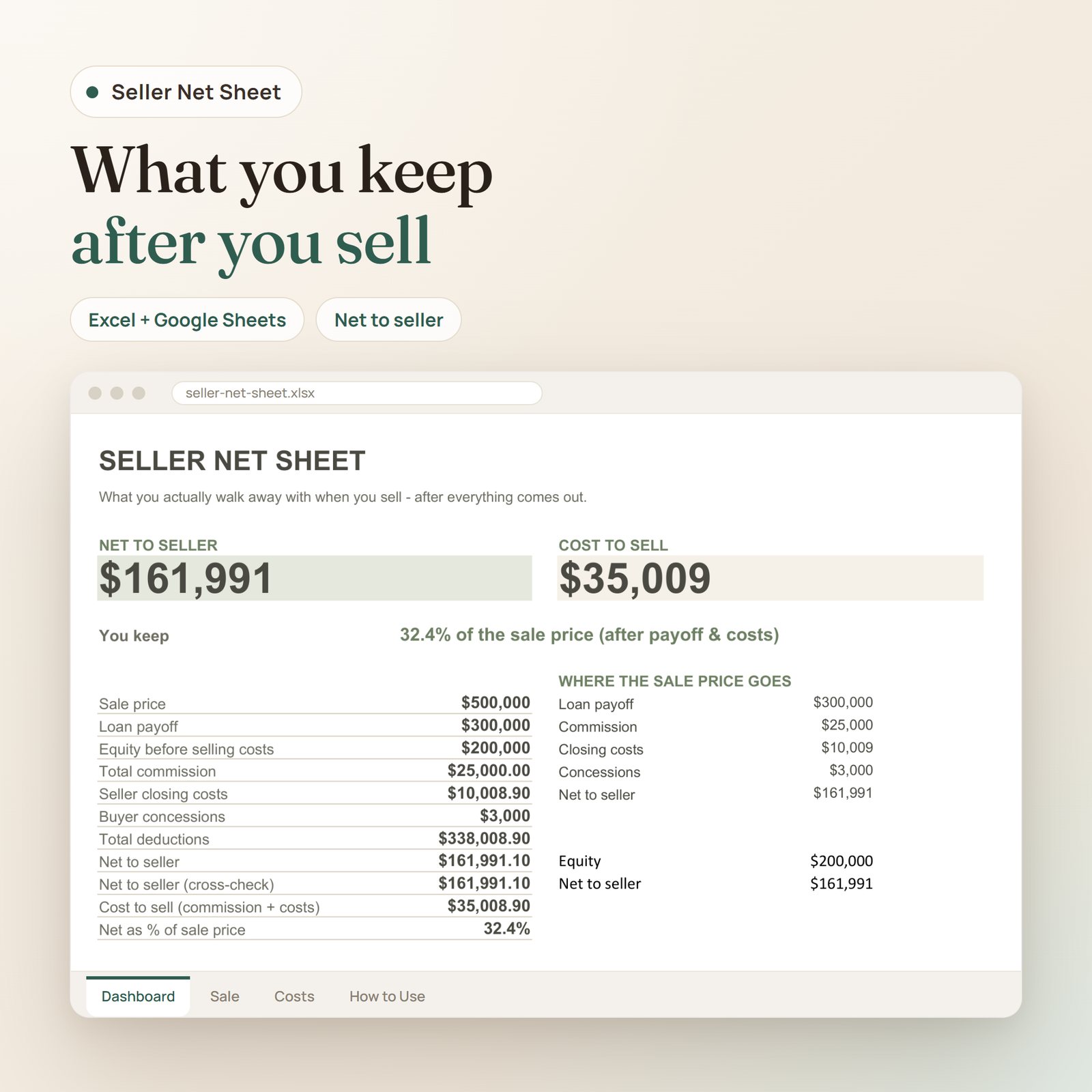
- Dashboard: your net to seller (what actually lands in your pocket), your cost to sell, and the share of the price you keep
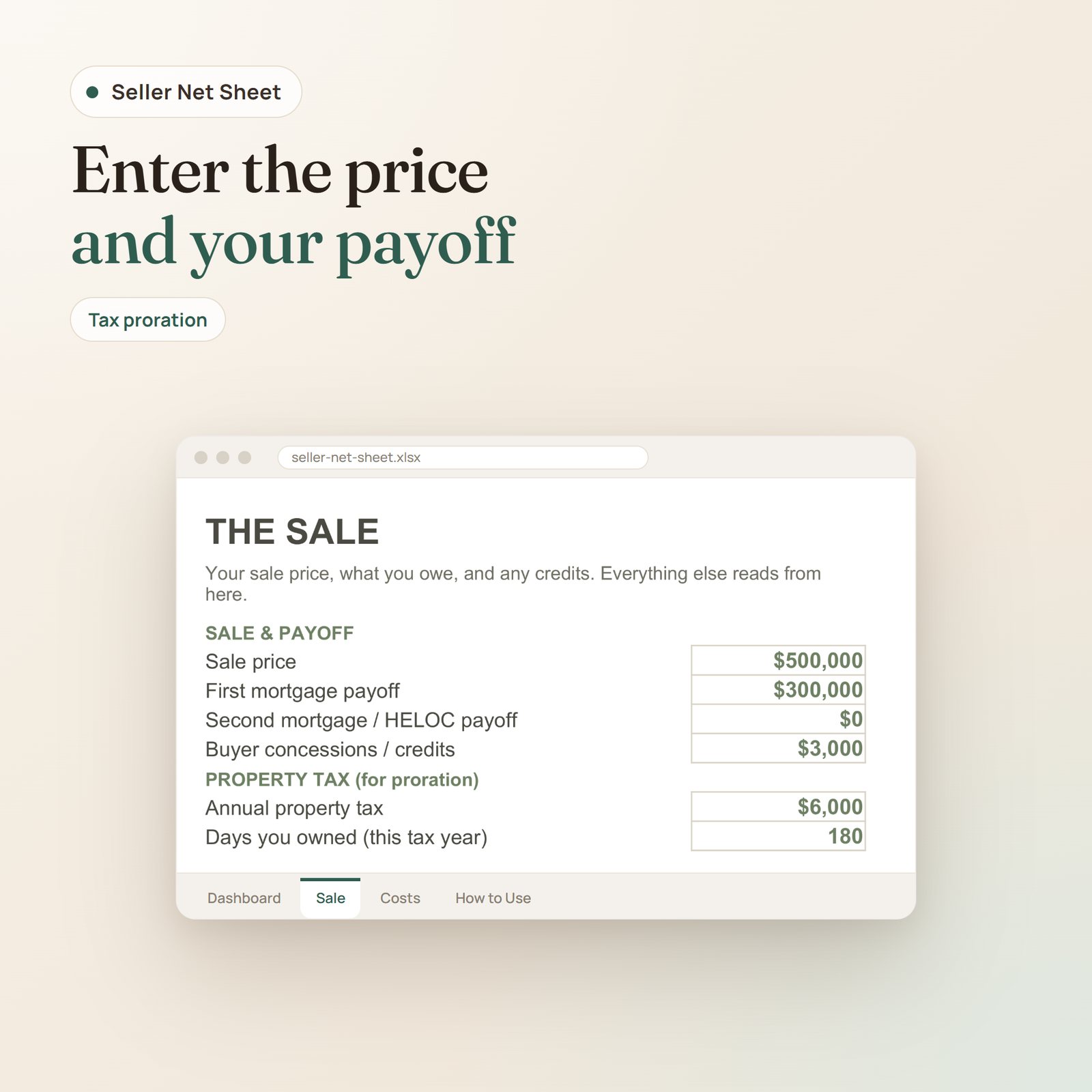
- The Sale: sale price, mortgage payoff, second mortgage/HELOC, and any buyer concessions
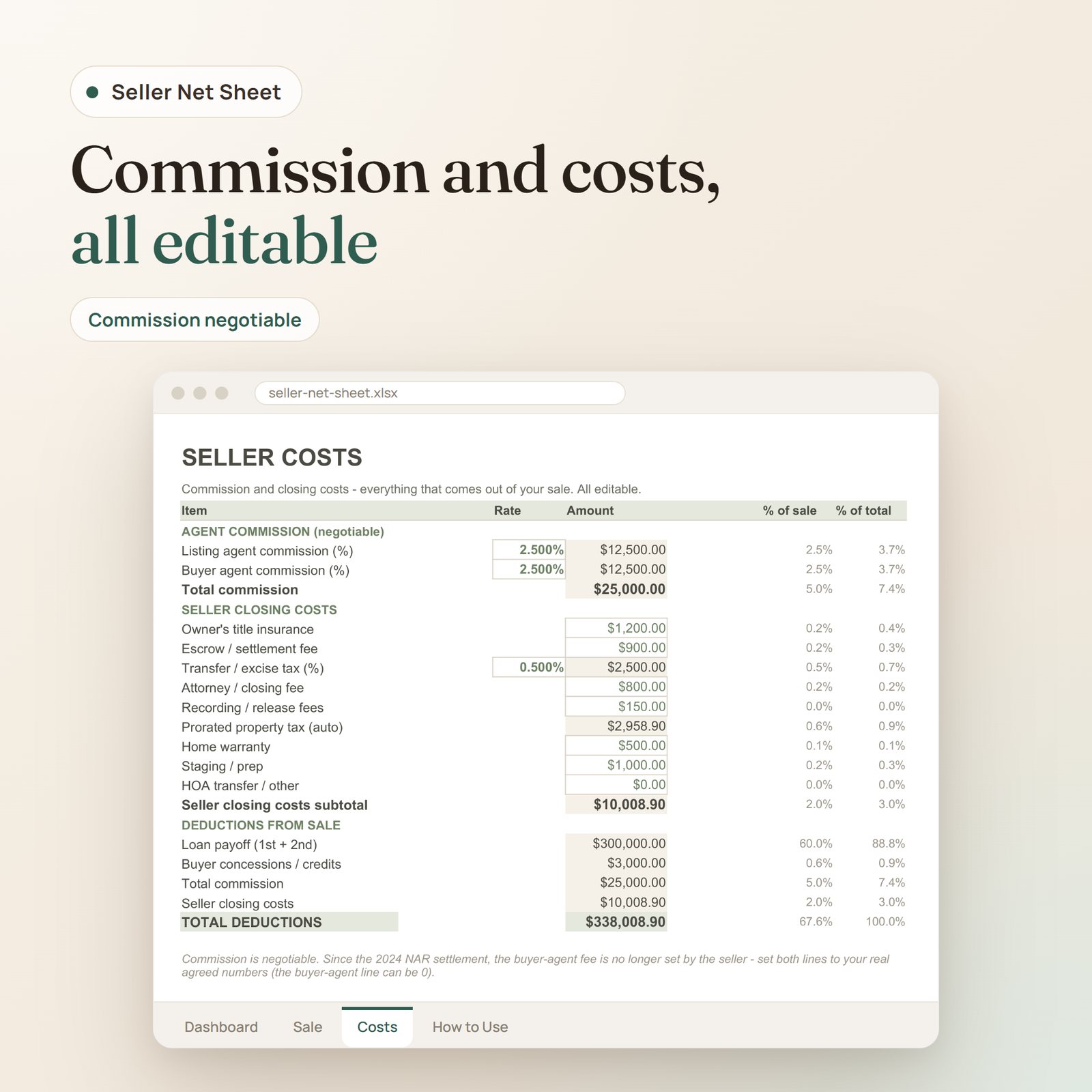
- Seller Costs: agent commission and closing costs, all itemized and editable – with the transfer tax and prorated property tax calculated for you
- How to Use: who pays what when you sell, and how it all works
Calculates
- Net to seller (cross-checked two ways)
- Total agent commission – fully editable
- Prorated property tax (annual tax x days owned / 365)
- Cost to sell and net as a % of price
Commission note: commission is negotiable, and since the 2024 NAR settlement the buyer’s agent fee is no longer set by the seller. Set both the listing and buyer-agent percentages to your real agreed numbers – the buyer-agent line can be zero.
Real example: on a $500,000 sale with a $300,000 payoff, you net about $161,991 after the payoff, commission and closing costs.
Who it’s for
Home sellers, for-sale-by-owner sellers, and real estate agents who want to hand clients a clear, professional net sheet.
Explore more in our Real Estate Calculators collection, or open it in Google Sheets.
Frequently asked questions
How is it delivered?
Instant download in Google Sheets, Excel & PDF — available right after checkout, with lifetime access.
Is it ready to use?
Yes — the formulas are built in. Enter your own numbers and it calculates automatically.
Only logged in customers who have purchased this product may leave a review.


Reviews
There are no reviews yet.