n8n for Marketers: 50 Self-Hosted Workflows
$29.00
Description
Who this is for
- Marketing managers at 5–50 person B2B companies whose MarTech stack has grown one subscription at a time, and who are comfortable with spreadsheet formulas and a little API work.
- Founders of 1–10 person service or product companies who want to know which marketing tools they could replace with workflows they own.
- Agency operators who want to set up workflow libraries for clients and sell that work as a service.
- Marketing ops leads and technical marketers who have outgrown per-task automation pricing and want a self-hosted n8n setup they control.
The problem
Many marketing teams pay monthly seat prices for tools that do something simple: watch a thing, move a thing, summarize a thing, format a thing. The spend builds up through zombie subscriptions, tool drift and per-seat creep, and nobody owns the whole list. Wiring those automations yourself used to take a developer, a scheduler, retries and a credential store. A self-hosted n8n instance now covers most of that with a visual builder.
The hard part is getting from n8n tutorials to a working marketing library. Tutorials tend to stop at hello-world demos, the official docs are thorough but abstract, and many published examples are aimed at developers wiring internal ops, not marketers replacing MarTech subscriptions. This ebook maps fifty marketing workflows to the SaaS tools they can replace. It is also candid about when you should stay on SaaS.
What you’ll get
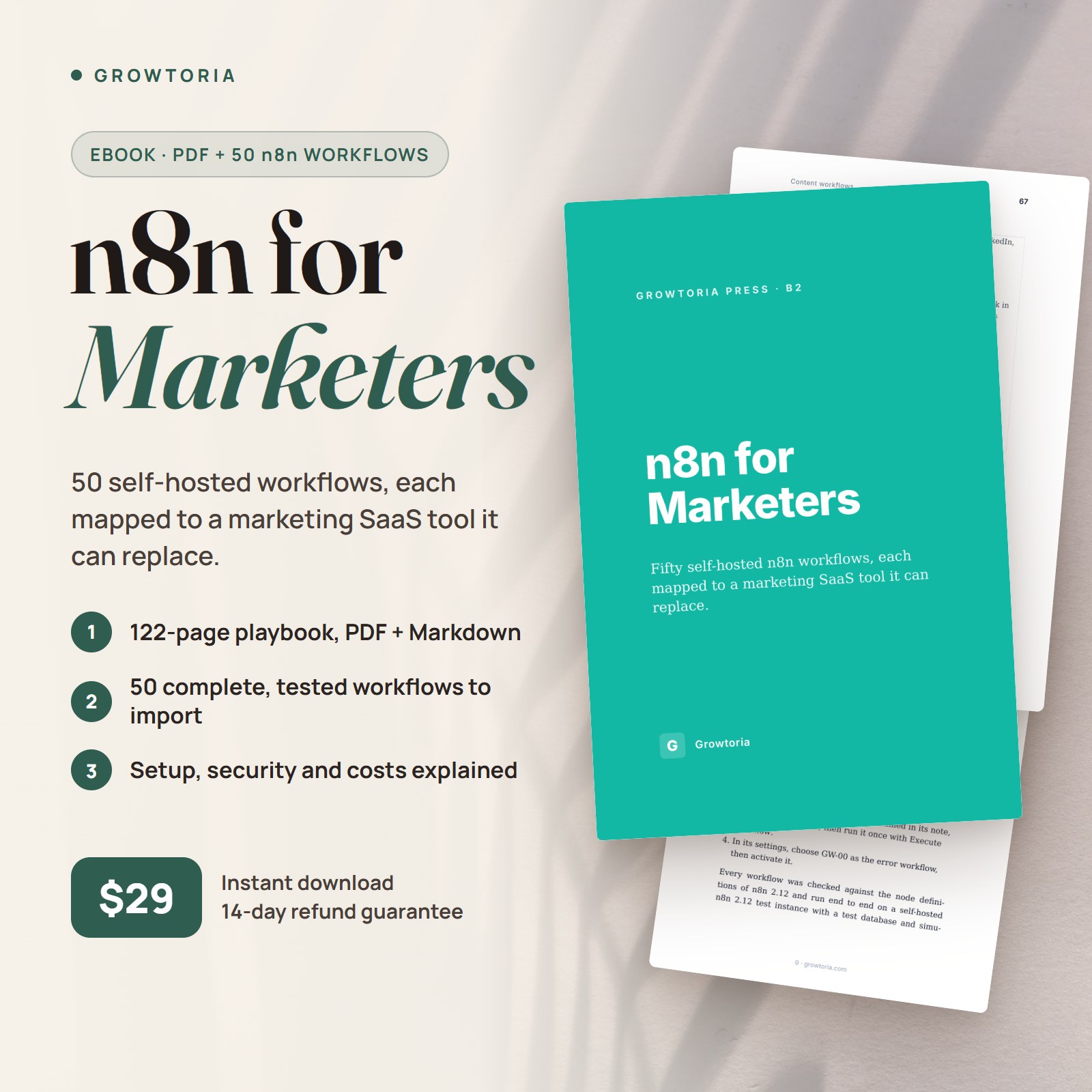
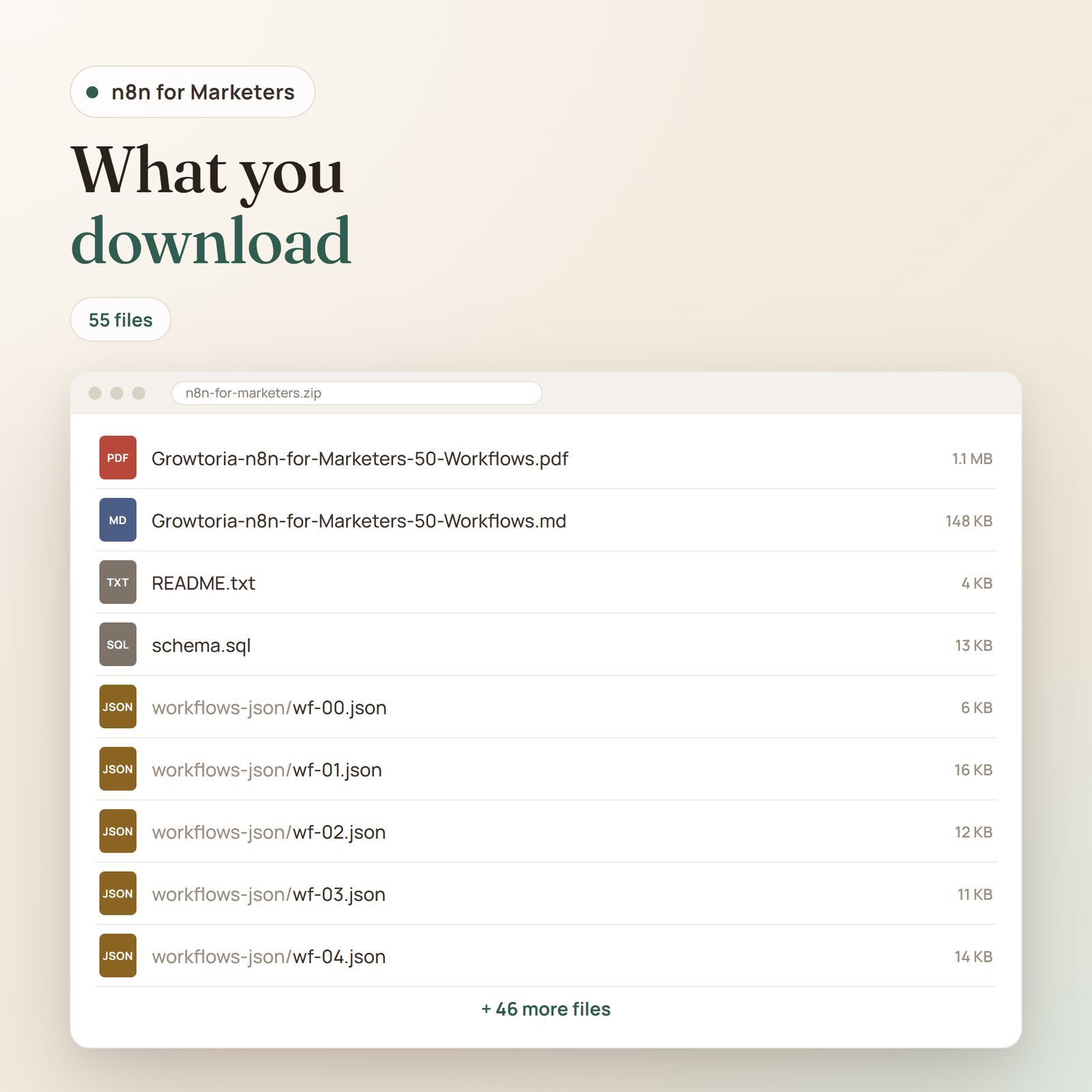
- The ebook as a PDF (122 pages): an introduction, 17 chapters across five parts, a conclusion and a resources list.
- A Markdown edition of the full book (.md), easy to search or to paste into your own docs.
- 50 complete n8n workflows in the workflows-json folder (wf-01.json to wf-50.json), one per workflow in Part III, to import via Workflows → Import from File. Each one is a finished, tested workflow: a Config node with the values to adapt, duplicate protection, retries on API calls, a structured log and a note on the canvas that lists the credentials to create. No API keys inside: you connect your own.
- wf-00.json, the shared error workflow that posts failures to Slack, and schema.sql, the Postgres tables the workflows use.
- README.txt with the file list, the installation steps and how the workflows were tested.
Inside the ebook
- Introduction: the idea that many marketing SaaS tools are workflows someone else wires for you, who the book is for, and how to import the workflow files.
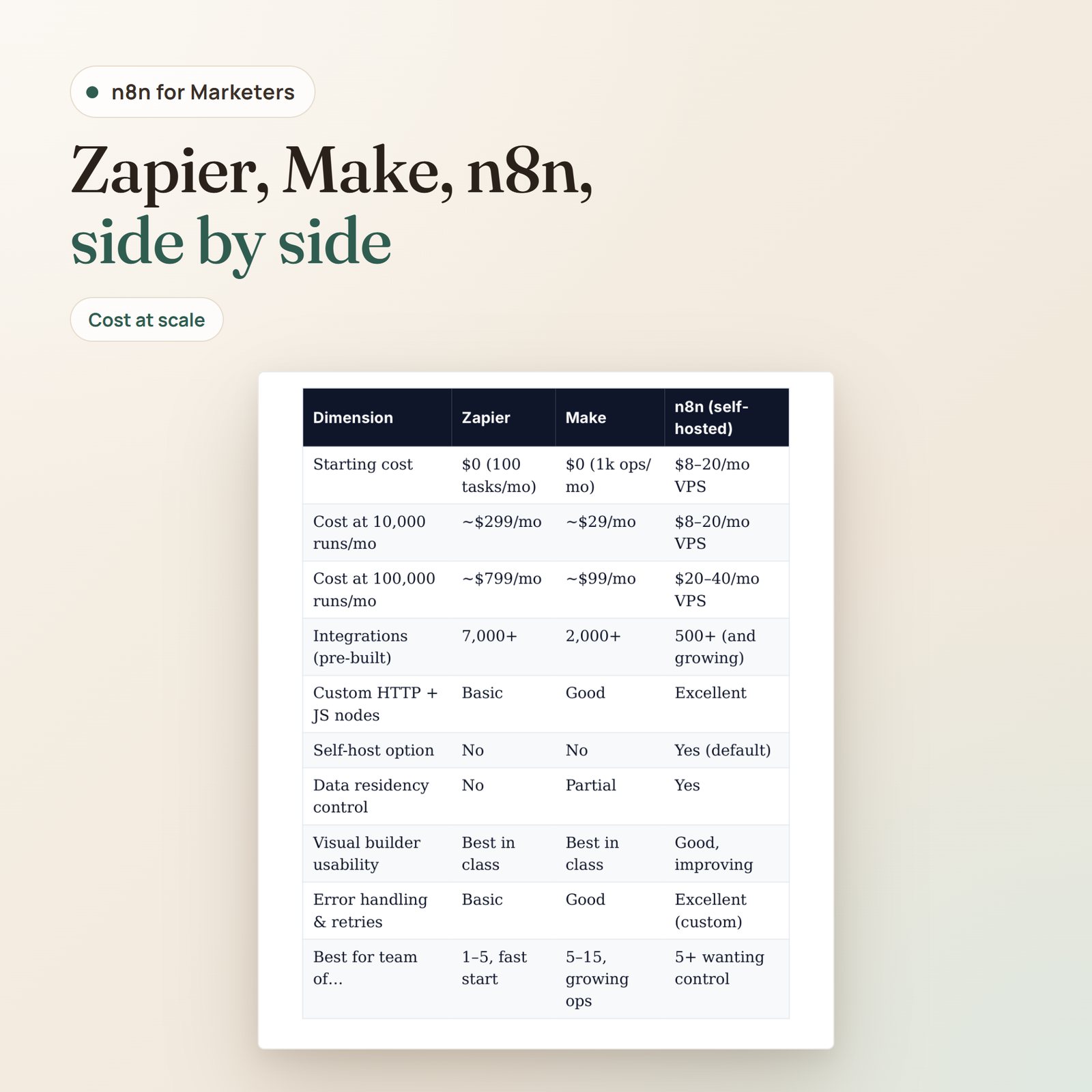
- Part I — The Landscape (Chapters 1–3): where MarTech bloat comes from (zombie subscriptions, tool drift, per-seat creep) and how to audit it from the billing portals; Zapier vs Make vs n8n on cost, control and data residency; five red flags and a decision tree for when to stay on SaaS.
- Part II — Foundations (Chapters 4–6): four hosting options ranked, with VM sizing; a step-by-step docker-compose setup with Traefik and Postgres; a 10-item security checklist, a nightly backup script and a simple monitoring setup.
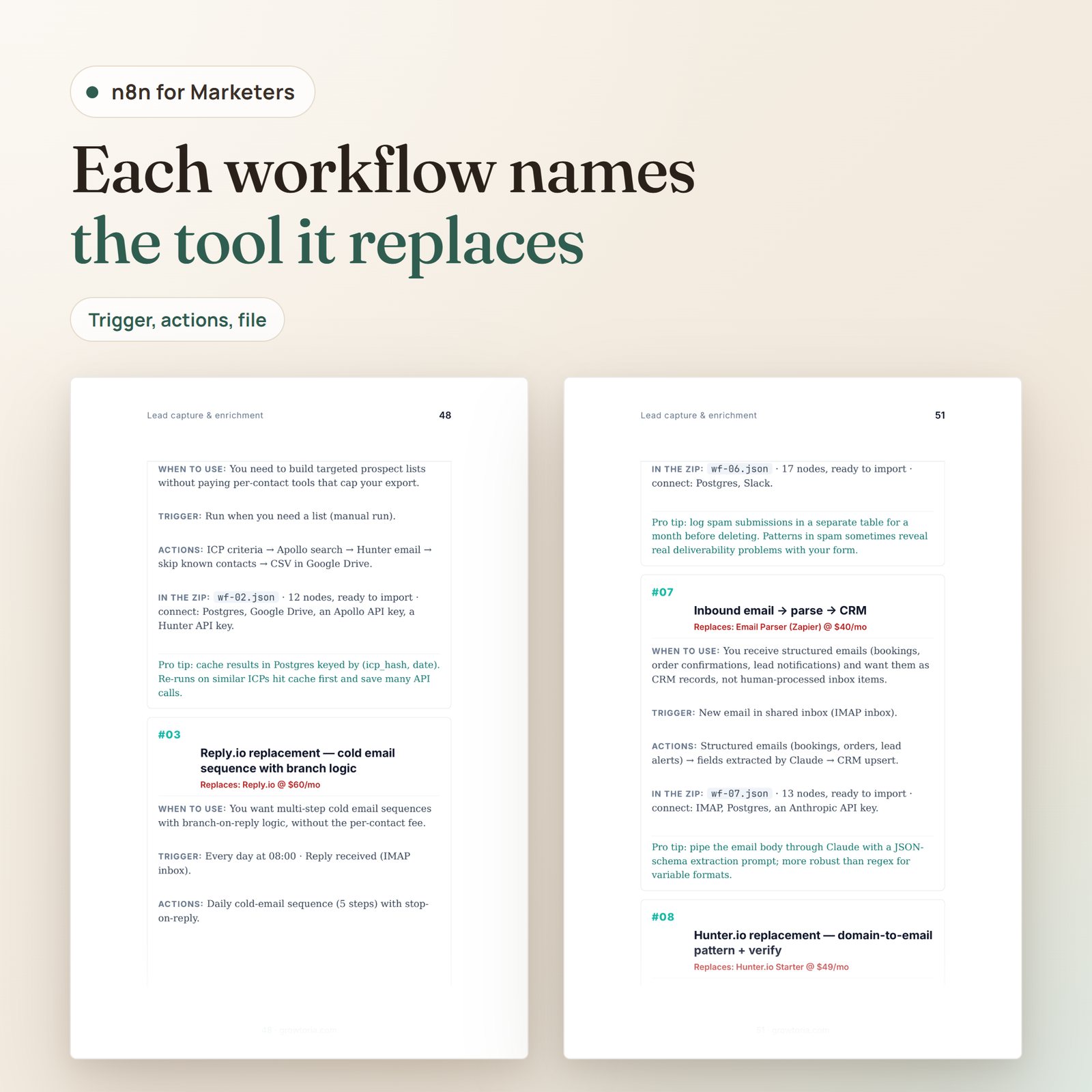
- Part III — The 50 Workflows (Chapters 7–11): lead capture and enrichment (#01–#10), CRM sync and email sequences (#11–#20), content (#21–#30), analytics and reporting (#31–#40), customer success and retention (#41–#50). Each workflow names the SaaS tool or manual process it can replace, usually with an approximate list price, then covers when to use it, the trigger, the actions, its file in the ZIP with the credentials it needs, and a pro tip.
- Part IV — Operations at Scale (Chapters 12–14): idempotency, retries and observability; what to monitor and a 15-minute weekly check; the three signals that a workflow has outgrown n8n.
- Part V — Compounding (Chapters 15–17): treating your workflow library as an asset; a spreadsheet-level handoff and a four-hour training plan for teammates; packaging workflow building as an agency service, with a pricing structure.
- Conclusion and Resources: five workflows to build in your first seven days, plus books, tools and communities.
What you’ll be able to do
- Audit your MarTech spend by opening every billing portal and sorting each tool into migrate, stay on SaaS or unsure.
- Choose a workflow engine and a hosting path using the Zapier / Make / n8n comparison and the hosting decision matrix.
- Deploy self-hosted n8n on a VPS with HTTPS, Postgres, a firewall and nightly off-site backups.
- Build marketing workflows for lead enrichment, email sequences, CRM sync, content drafting, reporting digests and retention alerts, starting from the 50 write-ups and their ready-to-import files.
- Make workflows safe to run in production with dedupe checks, retries, an error workflow and structured logs, all four built into the 50 files.
- Hand workflows to non-technical teammates by moving business logic into a config sheet.
- Scope and price workflow building as a service if you run an agency or consultancy.
FAQ
I’m not technical — can I run n8n?
The self-hosted setup in Chapter 5 assumes you can follow terminal commands over SSH. Chapter 4 also covers n8n Cloud and the desktop app, which need no server work. Chapter 3 is candid that n8n is low-code, not no-code: someone on the team has to be willing to read docs and troubleshoot.
Are the workflow files ready to run?
Yes, after a short setup. Each .json file is a complete workflow: you run schema.sql once, import the file, create the credentials named in its note (your own API keys), fill in its Config node, run it once and activate it. Every workflow was checked against the node definitions of n8n 2.12 and run end to end on a test n8n 2.12 instance with simulated APIs. Third-party APIs change over time, so test each workflow with your own accounts before you rely on it.
Do I need OpenAI / Claude credits?
For some workflows. 14 of the workflows call Claude for drafting, extraction or classification (#04, #07, #21–#24, #26–#30, #38, #48 and #49), and #24 also uses OpenAI Whisper for transcription. You’ll need your own API keys and will pay for usage. Others rely on free tiers or on the APIs of tools you already use.
Can I use Make.com instead?
Each workflow is described step by step, so you can rebuild the logic in another tool, but the .json files import only into n8n. Chapter 2 compares Zapier, Make and n8n to help you choose.
Are these workflows I can sell to clients?
You can use them to deliver work for your clients, and Chapter 17 covers packaging workflow building as a service. The book and the files themselves are for your own use, not for resale as-is.
What if I’m not satisfied?
See our guarantee below.
Our guarantee
If this guide doesn’t help you, email [email protected] with your order number within 14 days of your purchase and we refund you in full. No forms, no reason needed, and you keep the file. Full details in our Refund Policy.


