Project Management Tracker | Notion Template + Google Sheets Hybrid | For Consultants & Agencies Running Retainers
$24.00
Description
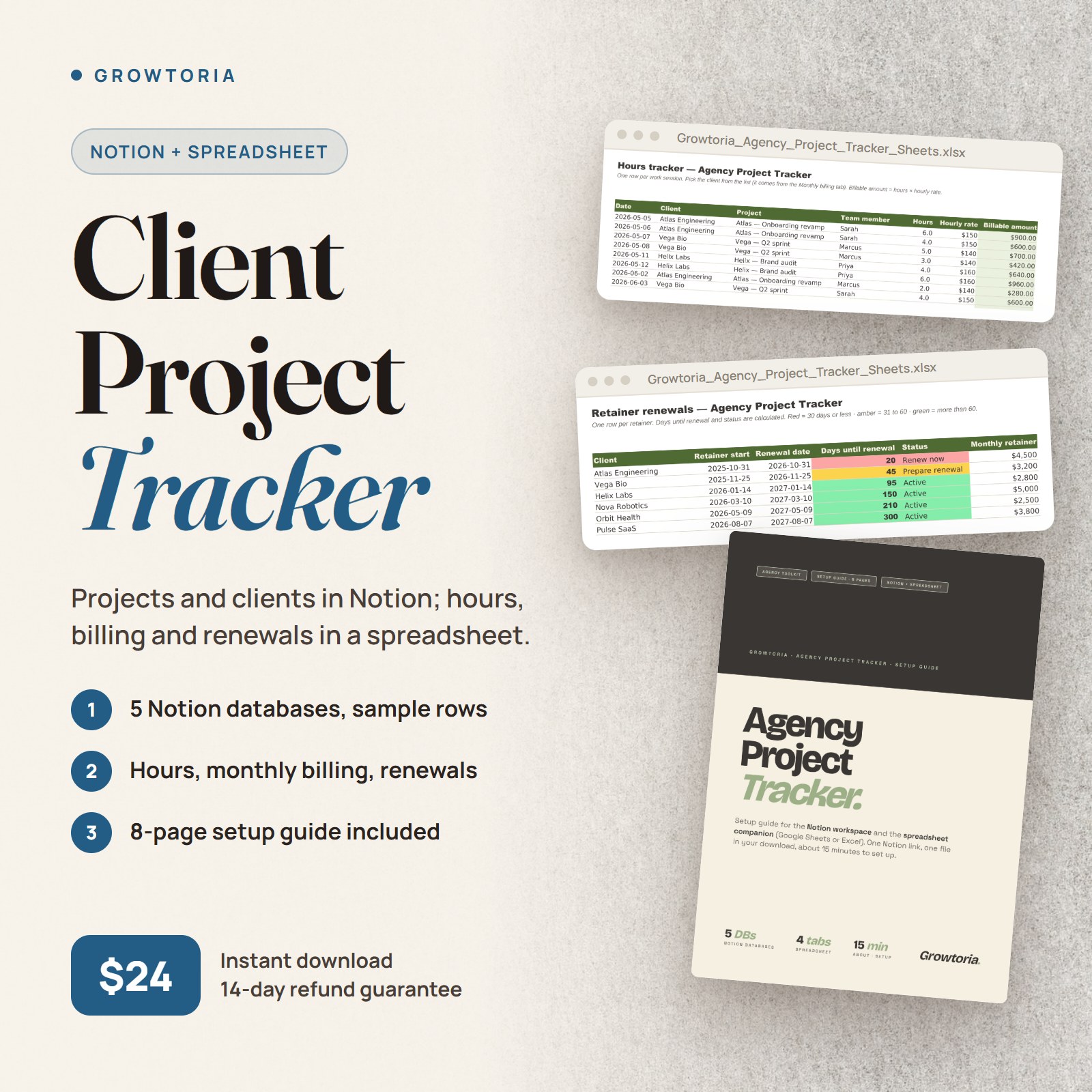
Project Management Tracker — A Notion workspace for the day-to-day of client work, plus a spreadsheet for hours, monthly billing and retainer renewals. Built for solo consultants and small agencies running several client projects or retainers at once.
What’s inside your Project Management Tracker
Notion Side
1. Projects – client, status, owner, deadline, pricing model, retainer, hours allocated and used (12 properties)
2. Clients – contact, retainer status and monthly amount, renewal date, signed contract link, last NPS (9 properties)
3. Deliverables – due date, version, status from In progress to Approved, client sign-off (8 properties)
4. Meetings – date, type, attendees, project, action items, follow-up (7 properties)
5. Pipeline – stage, source, estimated value, next action, signal score (8 properties)
Each database comes with sample rows. They are separate tables — client and project names are typed as text — so you can add Notion relations later if you want them.
Spreadsheet Side (Google Sheets or Excel)
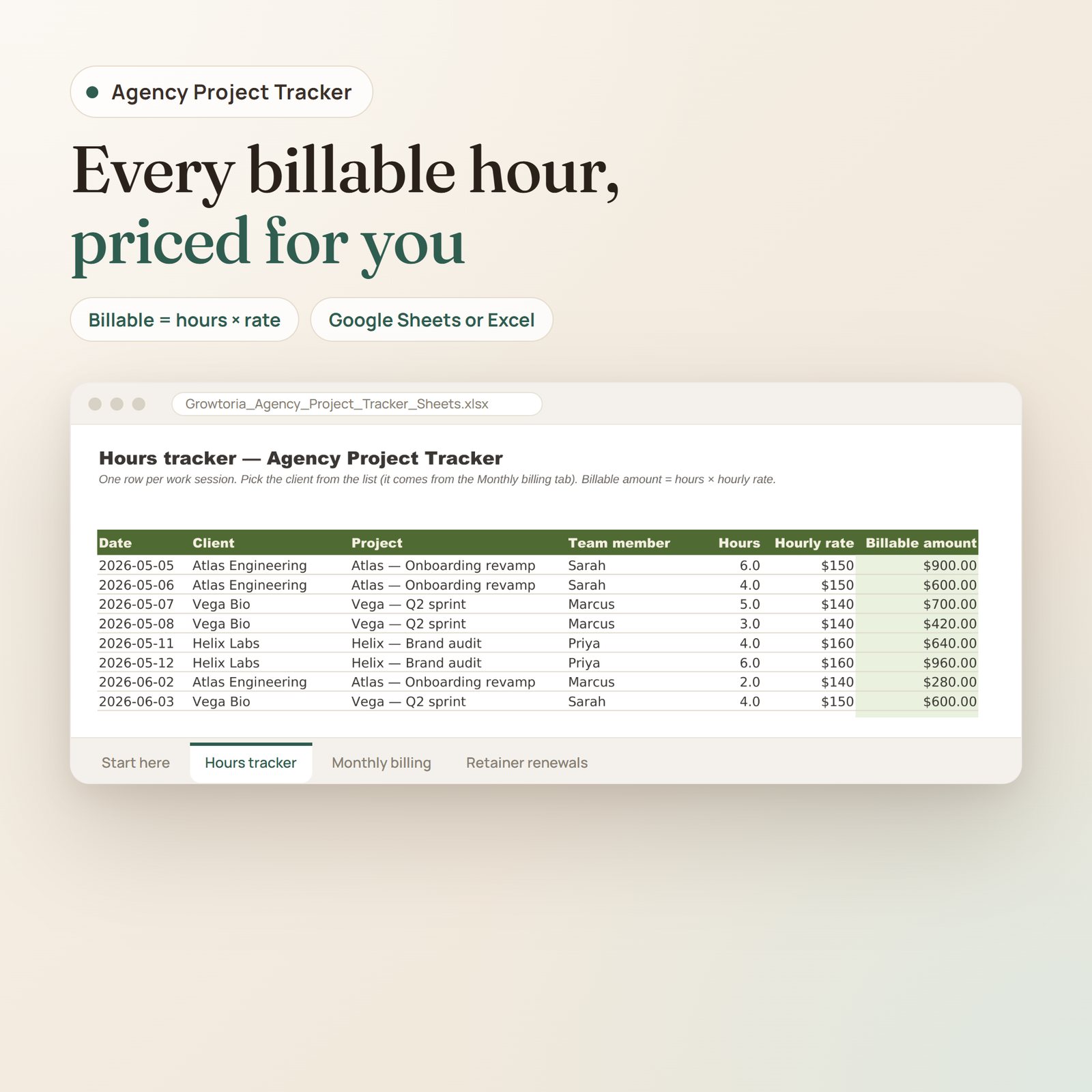
1. Hours tracker – one row per work session; billable amount = hours × rate; room for 1,000 rows
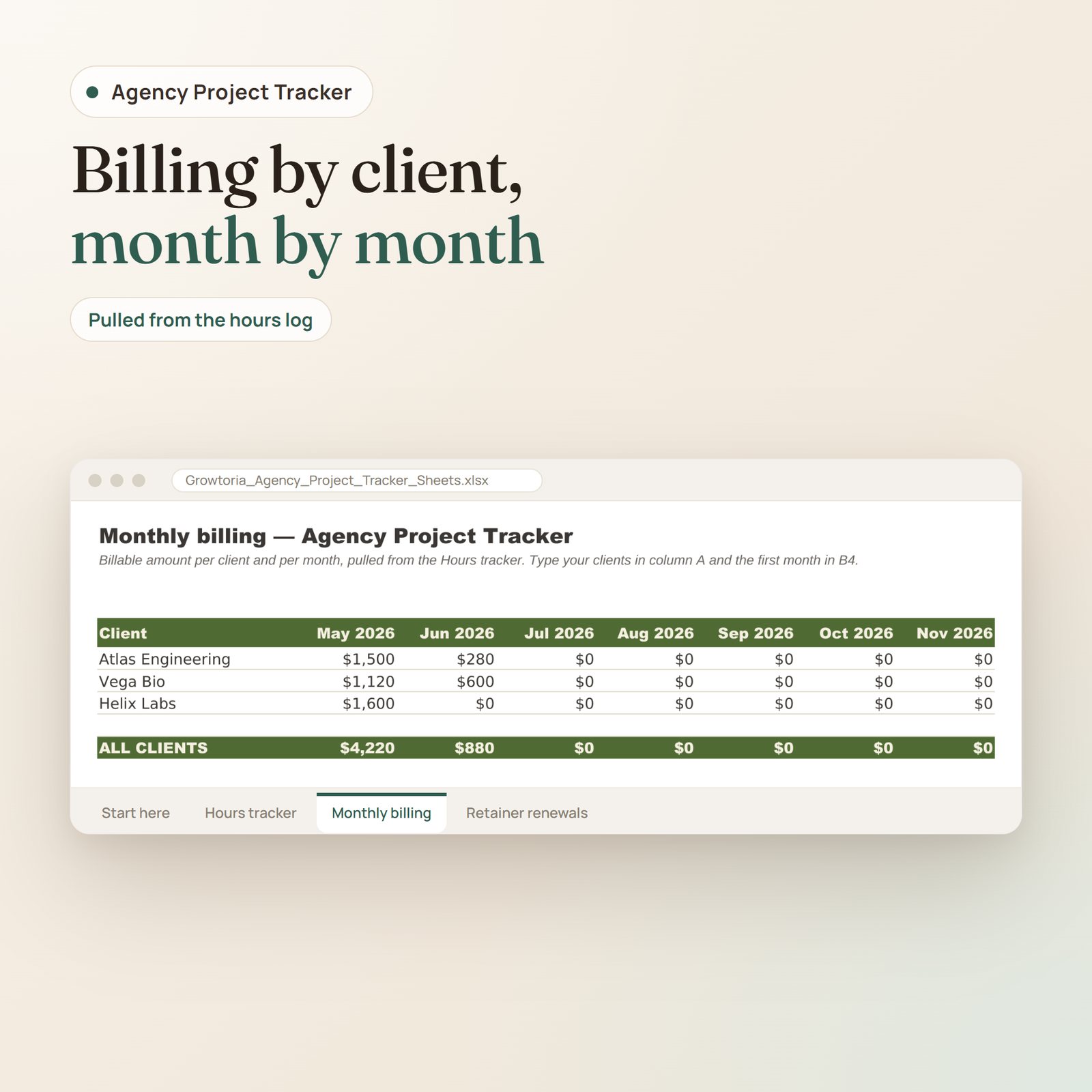
2. Monthly billing – billable amount per client and per month over 12 months, pulled from the hours log; export it to CSV for your accountant
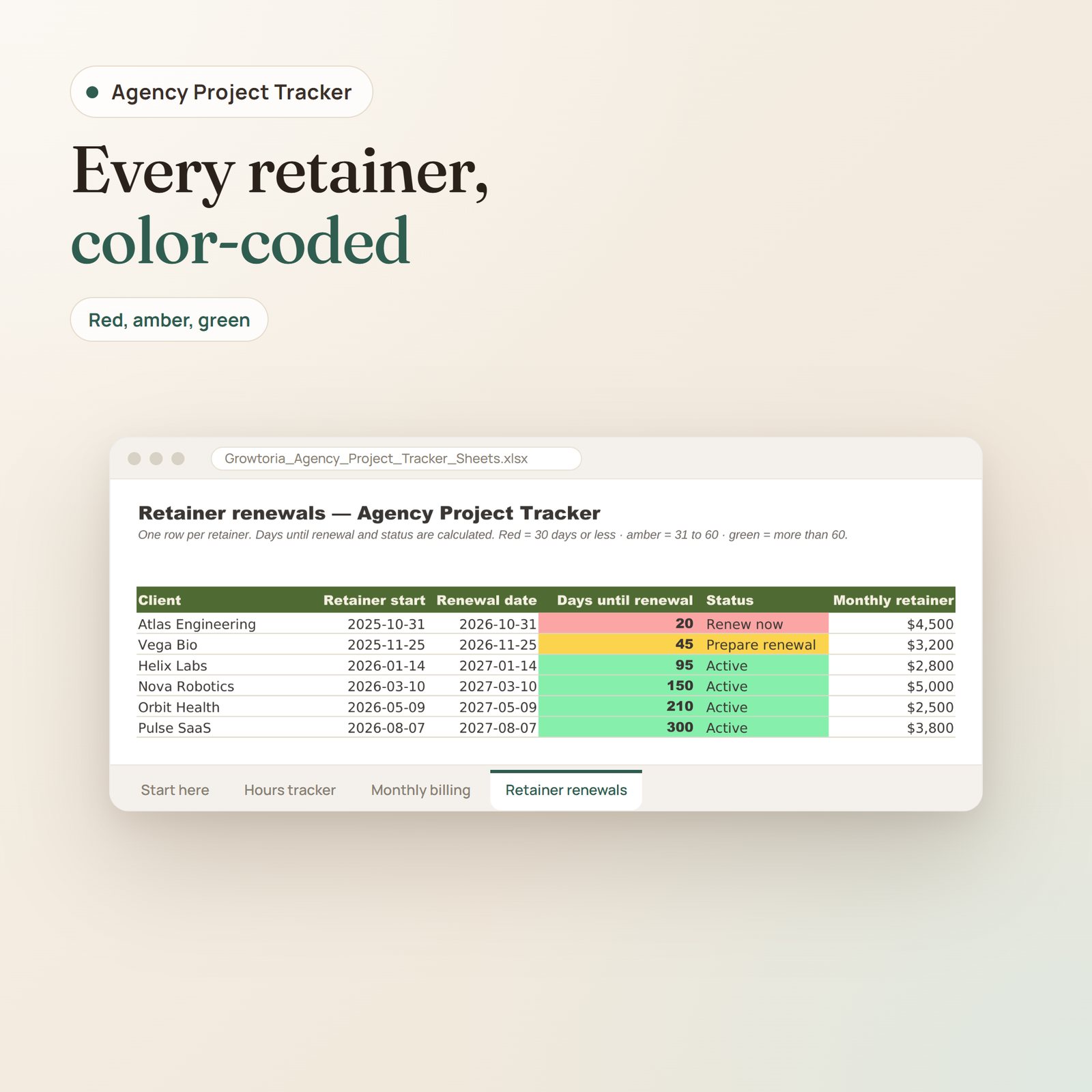
3. Retainer renewals – days until renewal and status for up to 50 retainers, colour-coded: 30 days or less, 31 to 60, more than 60
Plus a Start here tab. The file is an .xlsx: open it in Excel, or upload it to Google Drive and save it as a Google Sheet.
How It Works
1. Buy once, download instantly – the spreadsheet and an 8-page setup guide with the Notion link
2. Duplicate the Notion workspace and open the spreadsheet (about 15 minutes in total)
3. Use Notion for the day-to-day and the spreadsheet for monthly billing and renewals – the guide suggests a 10-minute daily routine
Why this tracker
What slips in client work is usually the same: a deliverable waiting for approval, a retainer renewing next week, hours never billed. Each one has a place here, and the spreadsheet formulas do the counting. Notion and the spreadsheet stay independent, so no paid automation tool is needed – the guide shows how to link them by hand.
Pairs Well With
- Agency Client Onboarding Kit ($29) – start engagements right
- Agency Pricing Playbook ($19) – price them right
- Bundle: Agency Toolkit (save 25 percent)
Who it’s for
Solo consultants and small agencies juggling several client projects or retainers
Explore more in our Agency Toolkit collection, or open it in Google Sheets.
Frequently asked questions
How is it delivered?
Instant download — the spreadsheet (.xlsx, for Google Sheets or Excel) and a PDF setup guide with the Notion template link, available right after checkout, with lifetime access.
Is it ready to use?
Yes — the formulas are built in. Delete the sample rows, enter your own clients and hours, and the totals calculate automatically.
Do I need a paid Notion plan?
No. A free Notion account is enough to duplicate the workspace.
What if it’s not what I expected?
Email [email protected] with your order number within 14 days of your purchase and we refund you in full. No forms, no reason needed, and you keep the file.
Only logged in customers who have purchased this product may leave a review.


Reviews
There are no reviews yet.