Etsy Bookkeeping Spreadsheet | Profit Tracker (Google Sheets, Excel)
$16.00
Want all 3 seller spreadsheets? Get the Etsy Seller Profit Kit (bookkeeping + product pricing + jewelry pricing) for $19.
Description
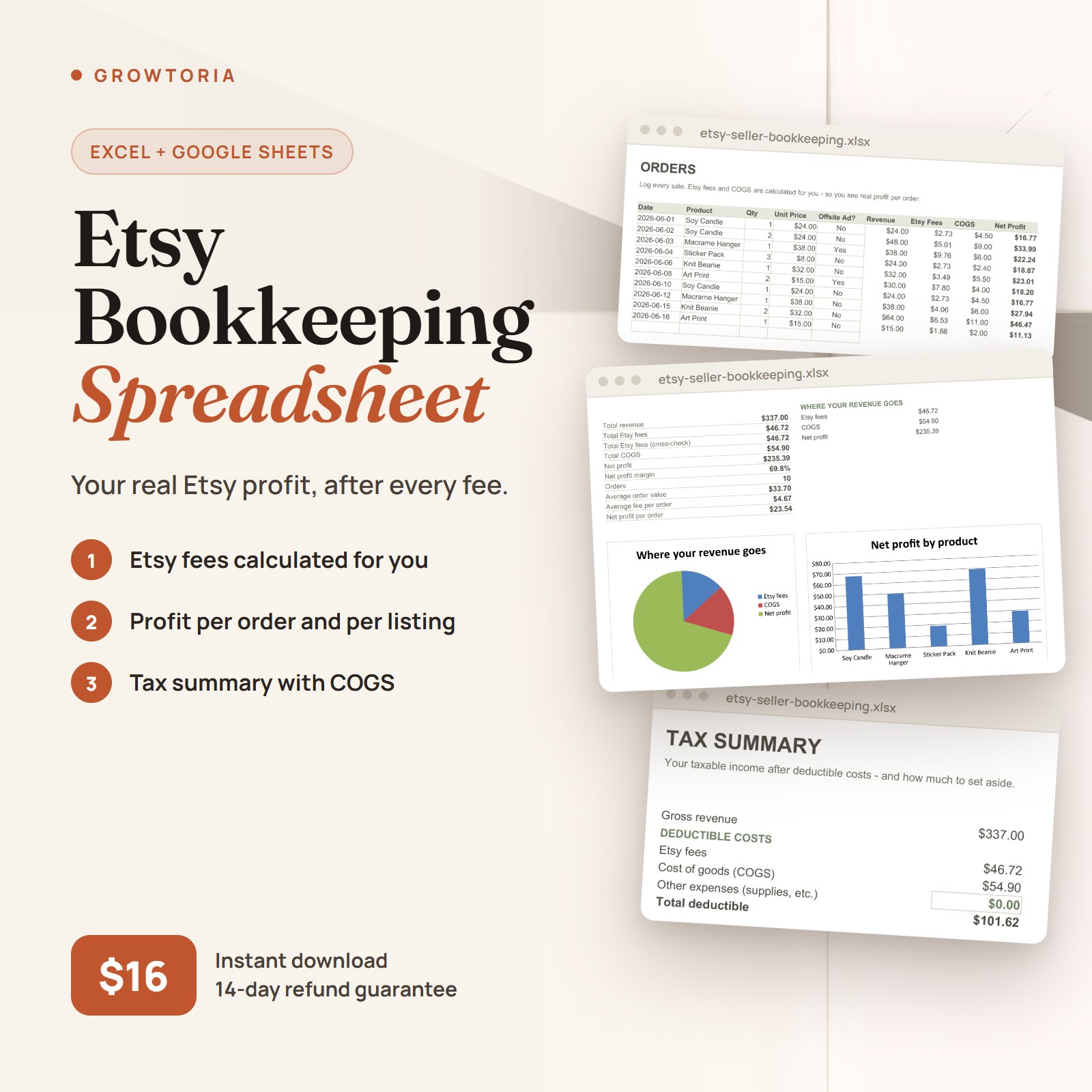
Etsy Bookkeeping Spreadsheet — Know your real profit – after Etsy takes its cut. This bookkeeping spreadsheet for Etsy sellers tracks every sale, subtracts your Etsy fees and cost of goods automatically, and shows what you actually keep – per order and per product.
What’s inside your Etsy Bookkeeping Spreadsheet
Editable in Google Sheets and Microsoft Excel. Log a sale and every total updates.
What It Does
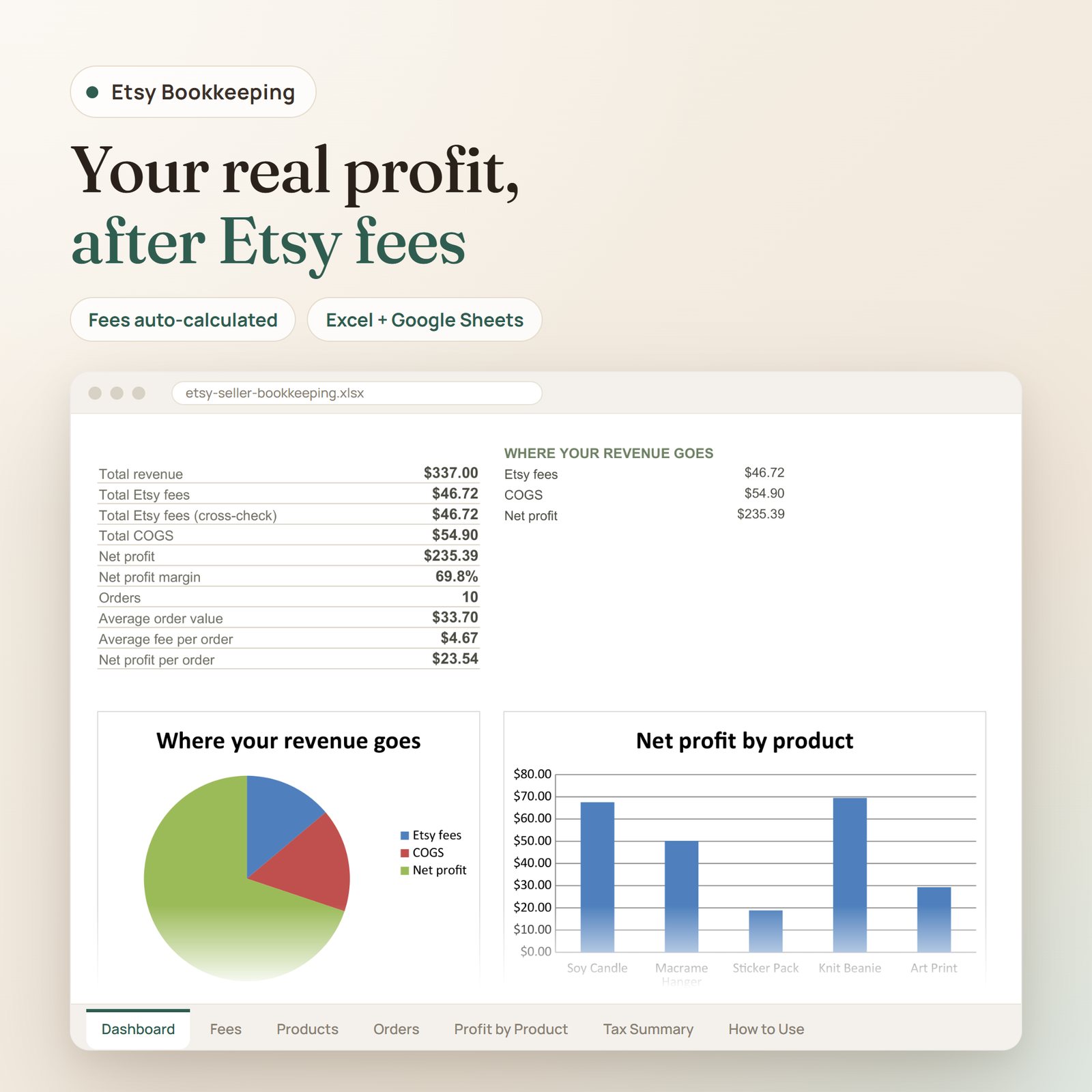
- Dashboard: total revenue, the fees you paid Etsy, your COGS, and your real net profit and margin
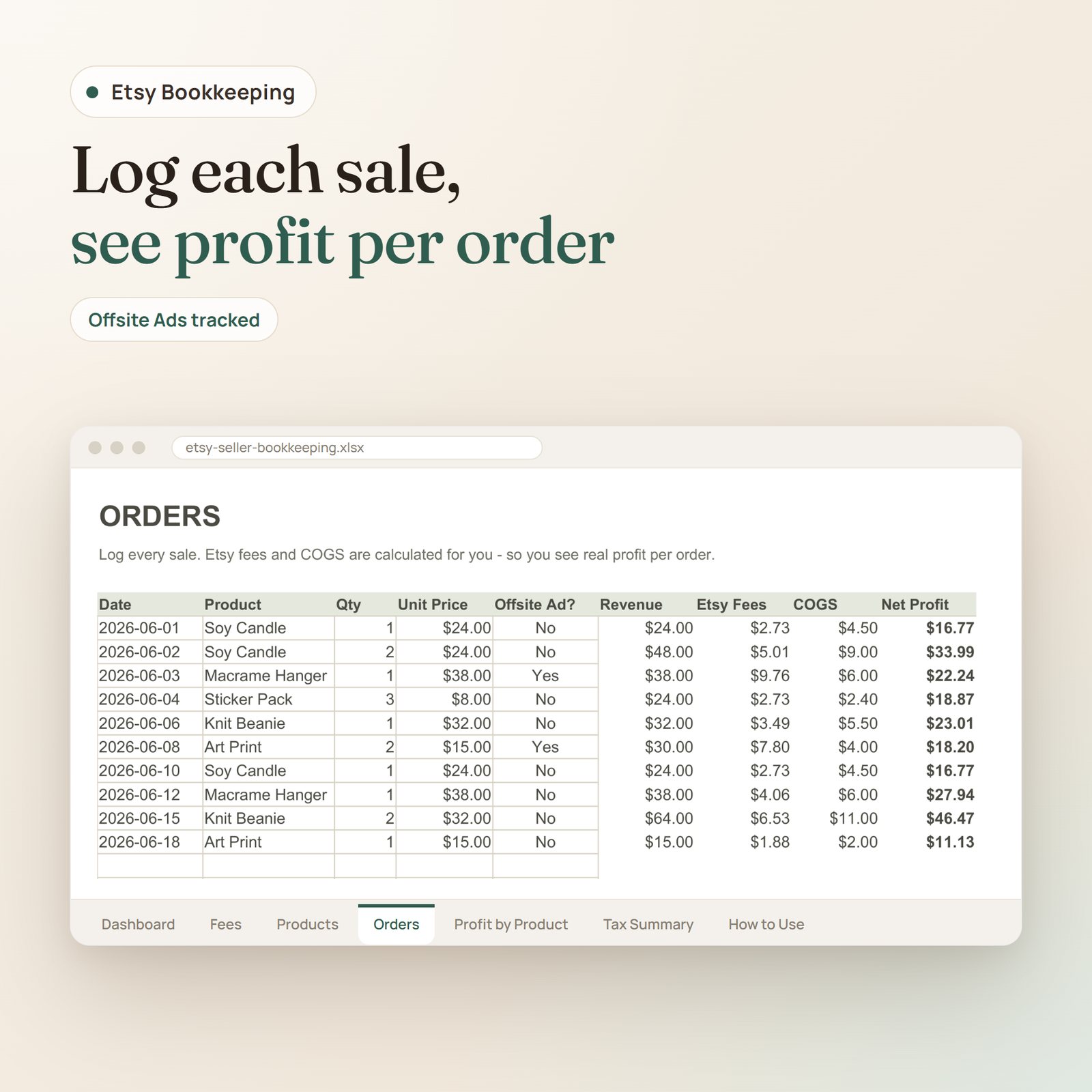
- Orders: log each sale – Etsy fees and COGS are calculated for you, so you see real profit on every order
- Fees: the standard Etsy fee rates (transaction, payment, listing, Offsite Ads), pre-filled and editable
- Products: your cost of goods per product, looked up automatically on each order
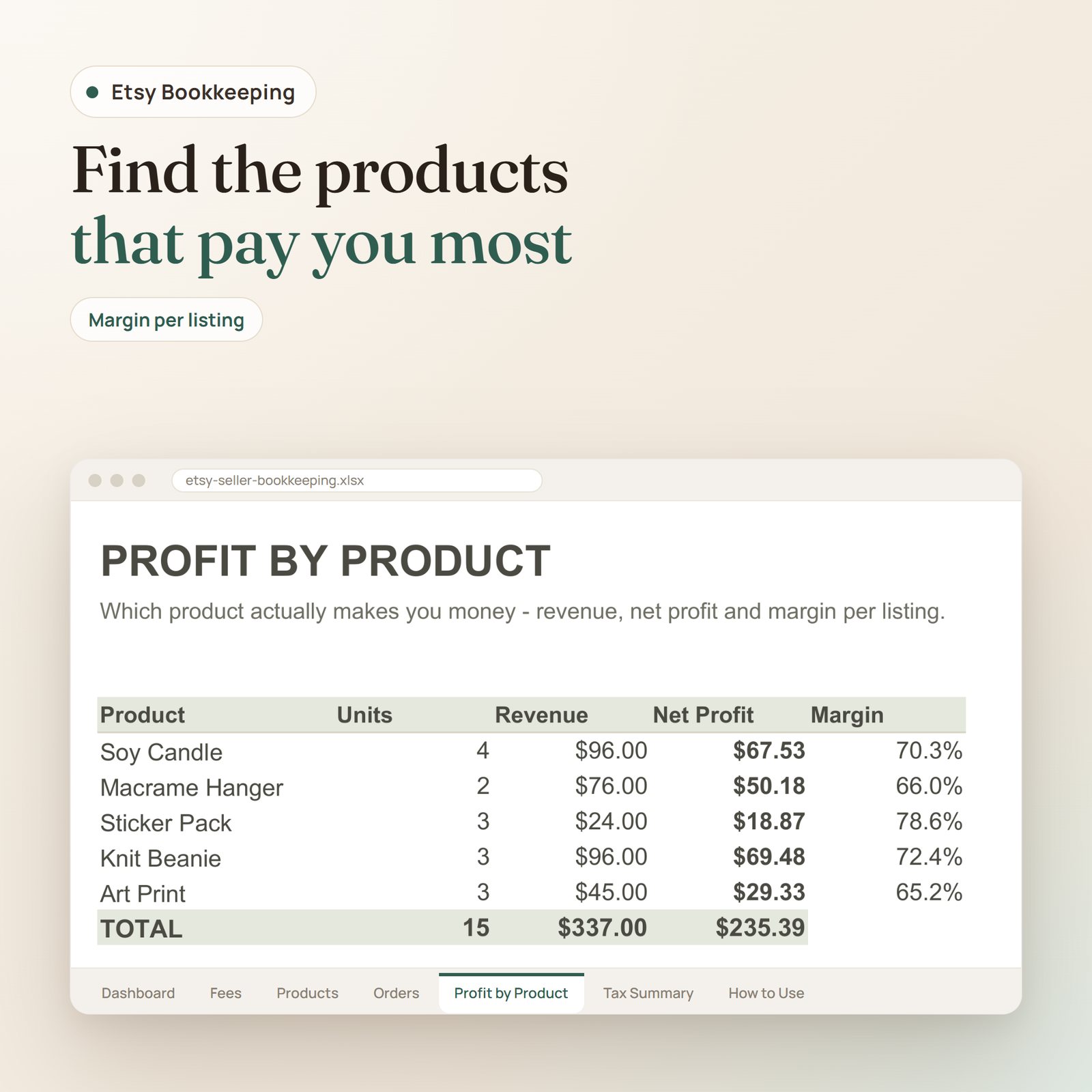
- Profit by Product: revenue, net profit and margin for each listing – so you know which products actually make money
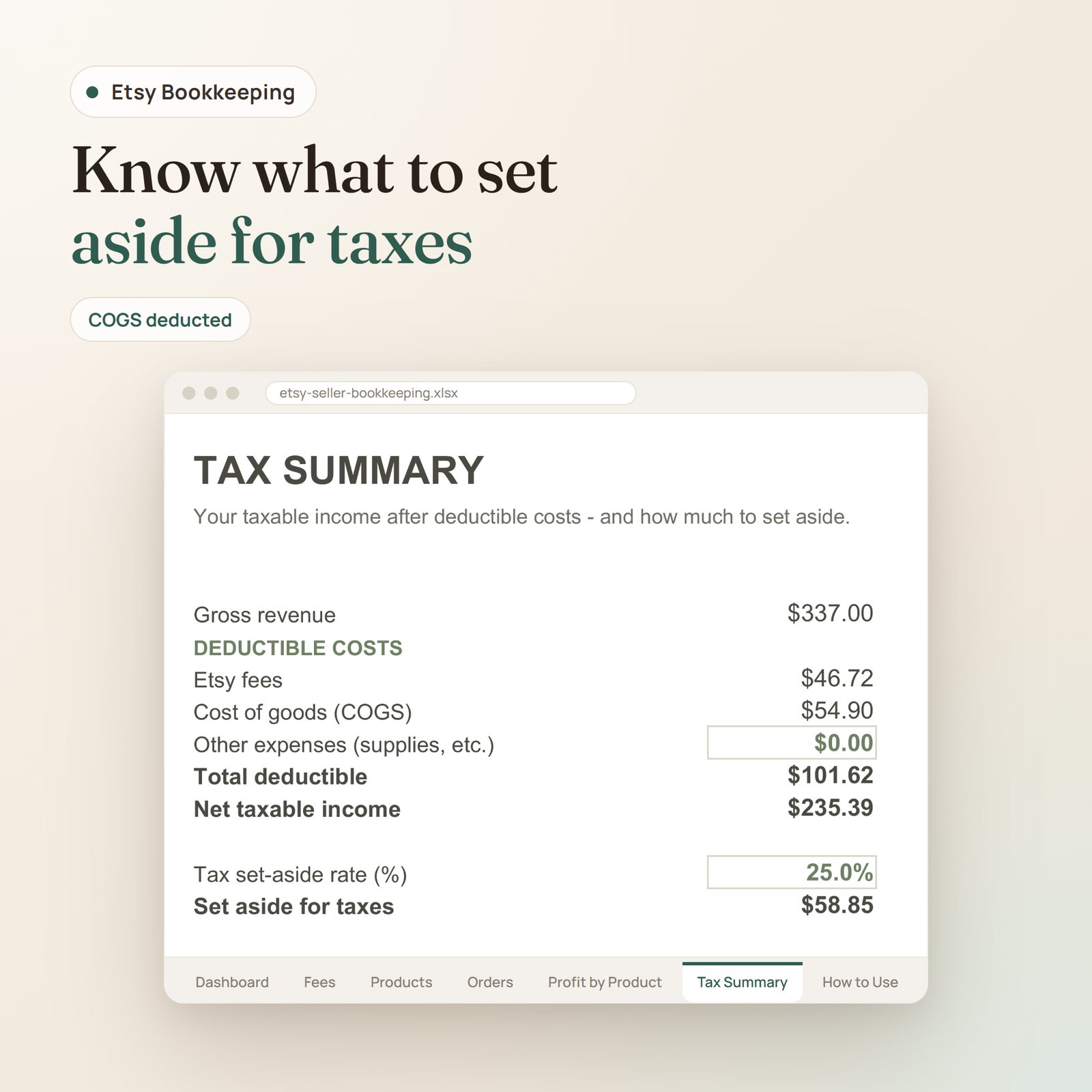
- Tax Summary: taxable income after deductible costs, with an estimated amount to set aside
- How to Use: track sales, categorize, and get ready for taxes
Calculates
- Total revenue, Etsy fees and net profit (cross-checked two ways)
- Real profit per order, after fees and COGS
- Profit and margin by product
- Tax-deductible costs and a set-aside estimate
Who it’s for
Handmade and Etsy shop owners, print and art sellers, digital sellers and side hustlers who want to know their true profit – not just their sales.
Explore more in our Small-Business Bookkeeping collection, or open it in Google Sheets.
Etsy bookkeeping in Google Sheets and Excel
This etsy bookkeeping spreadsheet is built for handmade and Etsy shop owners, print and art sellers, digital sellers and side hustlers who want to know their true profit, not just their sales.
You enter your own numbers: log each sale on the Orders tab, add your cost of goods per product on the Products tab, and adjust the pre-filled Etsy fee rates (transaction, payment, listing and Offsite Ads) on the Fees tab if yours differ.
From there the formulas do the work. The Dashboard shows total revenue, the fees you paid Etsy, your COGS, and your real net profit and margin. Each order shows what you actually keep after fees and COGS, Profit by Product reveals which listings make money, and the Tax Summary estimates taxable income after deductible costs plus an amount to set aside. It’s editable in both Google Sheets and Microsoft Excel, and every total updates as you log a sale.
Frequently asked questions
How is it delivered?
Instant download in Google Sheets, Excel & PDF — available right after checkout, with lifetime access.
Is it ready to use?
Yes — the formulas are built in. Enter your own numbers and it calculates automatically.
Does this Etsy bookkeeping spreadsheet work in Excel and Google Sheets?
Yes. It’s editable in both Microsoft Excel and Google Sheets, so you can log your sales wherever you already work.
Will it calculate my Etsy fees for me?
Yes. The Fees tab comes with the standard Etsy fee rates — transaction, payment, listing and Offsite Ads — pre-filled and editable, and each order subtracts those fees and your cost of goods automatically.
Can it help me get ready for taxes?
The Tax Summary shows your taxable income after deductible costs and gives an estimated amount to set aside.
Only logged in customers who have purchased this product may leave a review.


Reviews
There are no reviews yet.